
Statement import
Add your Fidelity holdings to your net worth
Fidelity statements cover what you hold at Fidelity. NetWorthy combines them with your other accounts, property and debts in one private dashboard.
Where to find the statement
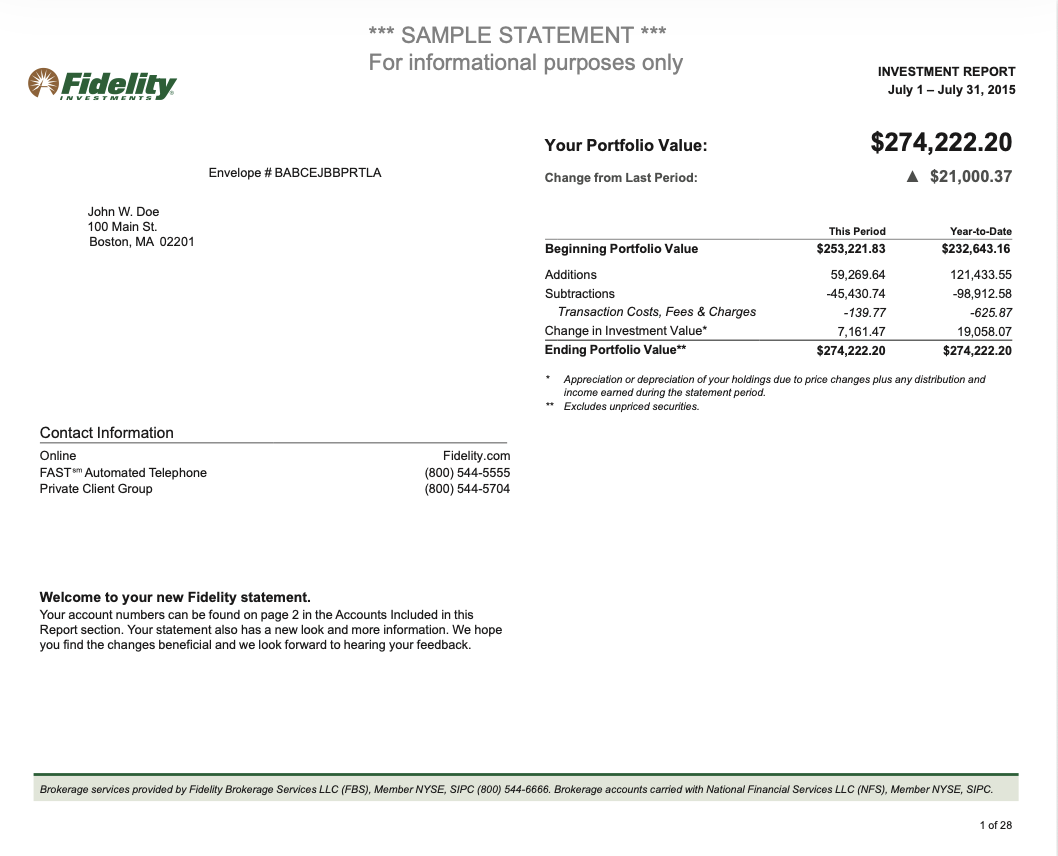
Download your monthly or quarterly Investment Report as a PDF from the statements section of your Fidelity account. The positions are in the Holdings section.
How it works
- 1Download the statementGet the latest holdings statement from your broker as a PDF.
- 2Upload it in NetWorthyGo to Assets, choose “Import from document”, pick your broker and upload the file.
- 3Review and publishWe show every position we read. Fix a quantity or currency if needed, then publish.
What NetWorthy reads
Each holding listed as “Name (SYMBOL)” with quantity, price and market value.
After the import
Imported positions behave like ones you typed in: they get live prices where we support the ticker, count toward your net worth, and show up in diversification analysis.
The PDF is used to read your holdings. Nothing reaches your dashboard until you approve it, and NetWorthy never asks for your broker or bank login.
Statement import is a Pro feature. Manual entry is free on every plan.
Try it with your statement